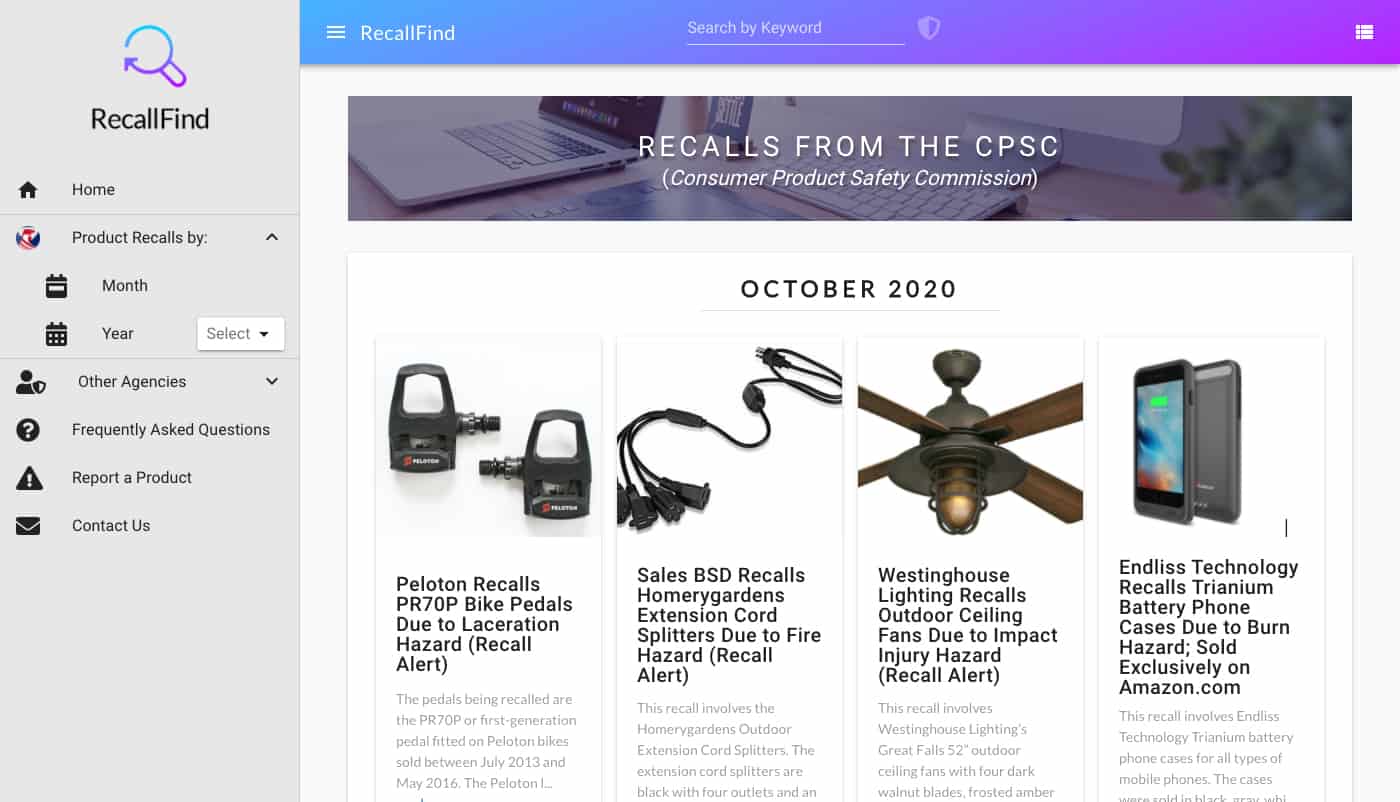
A few years ago, when my youngest son was still an infant, I happened to turn on the news and saw a recall about a popular baby formula. Thankfully, it wasn’t one we were using and I don’t think the effects were severe, but I realized I would’ve had no idea about it if I didn’t happen to turn on the news at that moment.
So, I started looking into making a site to make it easier to find recalled products. As it turns out, there are free APIs provided by different government agencies. But being the government, they are all a little different by agency such as the FDA and the NHTSA. However, the one I was specifically looking for was the CPSC (Consumer Product Safety Commission) and they had the best site and API. Unfortunately, I’ve learned that what products that make it on the list is somewhat political. We also have a BOB stroller and this manufacturer made the news because they were going to be on the list but we’re allegedly able to pay their way out of it. But nevertheless, it’s a good service that more people should use.
As I looked around, I found some sites that used the API, but most looked like they were class projects that met some minimal requirements. So I went about creating a site and again chose to make it using Vue JS, that I recently learned in my, ‘it’s not a portal’ project.
I ended up using Vuetify as the UI framework and it really helped speed up the time to build the site, even thought it was something new to me and I had look up how to do everything.
I made it so the site pulls down the API data as an AJAX post and formats it nicely into cards. One problem I encountered is that the images can be pretty much any size or dimension and the text can be a few words or a few pages. So, I used flexbox to keep all of the cards the same height and maintain consistent spacing and truncated the text after a certain limit.
Once the individual cards were designed, I then made it so you can change the display from a grid of cards to a list of narrower items. And after that, I used an animation library so the cards gradually display as you scroll.
When you select a product, it loads a full screen modal with some slight animations. This view has an image carousel and it displays all of the important details about the recall. It may not look like much, but it took a lot of thought to display all of the data in meaningful way. There’s so many different fields that may or may not be populated, so I tried to pick out the most important ones and grouped them into 3 sections that I feel makes it it easy to read, even though there can be a lot of text.
As a side note, I really like this mirror but it was recalled. But I may be making something like this in a future project.
One that was done, I added a search feature.
And lastly, I added some filtering options and other links to the sidebar.
One thing you’ll notice is that the FDA cards look a lot different. This goes back to how each of the agencies use slightly different ways to publish the recall data. If I was trying to productize this site, I feel like it would have to gather all of the data across agencies but display them in a consistent format. I don’t think the technical part is actually that hard, but it would require someone to look through and make some manual edits to all of the items for consistency.
So, I built this site and I was happy with how it turned out, but I never tried to make it into a ‘real’ site for various reasons. But I did add it as subdomain so anyone can use the site here:
http://recallfind.evanyamoto.com/
And, I learned more about Vue JS. It may not specifically help me with my normal work, mostly in C# MVC, but it did help me learn some different ways to do things in JavaScript and it helped to improve my development and design skills overall. I would like to keep working with Vue, but most likely, this will be the last project I do with Vue and will pick another technology to learn for the next one.